Comparison🔒 VPNs & Security
1Password vs Bitwarden: Which Password Manager Should You Pay For?
Bitwarden is the value champion with a genuinely useful free tier; 1Password is the polished, premium pick. Here is how they compare on security, features, and price in 2026.
Checked against primary sources, July 2026 · How we verify
We independently score every service with our Experience Index. We may earn a commission if you subscribe through links on this page — it never affects our scores or picks.
Password managers are one of the highest-value subscriptions you can have, and 1Password and Bitwarden are the two most-recommended picks. They are closely matched on the thing that matters most — security — so the decision really comes down to price, polish, and whether open-source matters to you.
What do they cost?
This is Bitwarden's strongest argument: it does more for free than most managers do at any price.
| Plan | 1Password | Bitwarden |
|---|---|---|
| Free tier | None (14-day trial) | Yes — unlimited passwords, unlimited devices |
| Individual (paid) | about $3.99/month billed annually (~$48/year); $4.99/month month-to-month | about $19.80/year (Premium) |
| Family | about $5.99/month (up to 5 users) | about $48/year (up to 6 users) |
| Open-source | No | Yes |
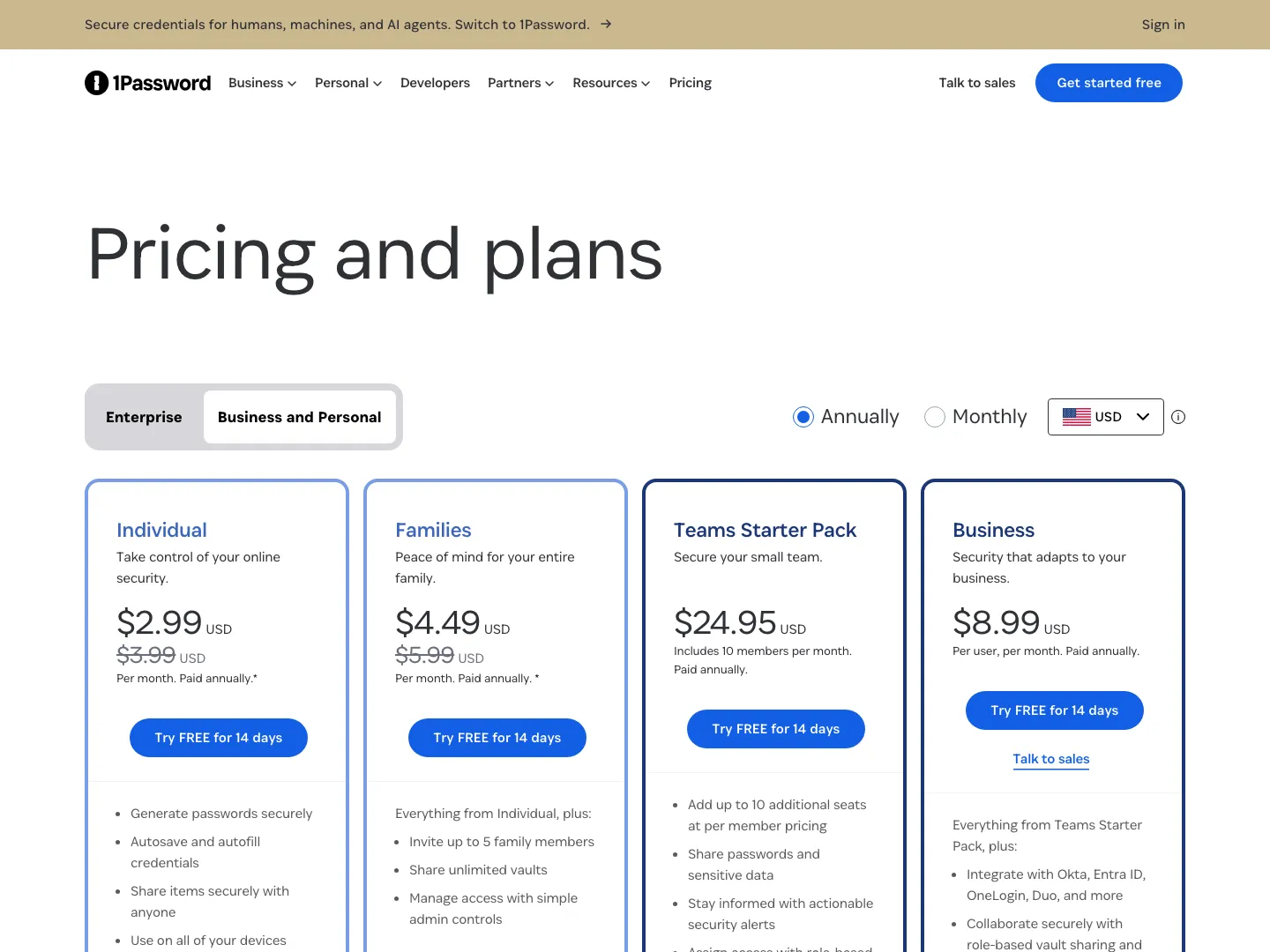
For a lot of people, Bitwarden's free tier is the whole story — unlimited passwords synced across unlimited devices, at no cost. (A few extras — the integrated authenticator, file attachments, and emergency access — moved to Premium in early 2026, but core password storage and sync stay free.) Even its paid Premium undercuts most rivals by a wide margin. It is worth noting that 1Password raised its prices about 33% in March 2026 (Individual went from $2.99 to $3.99/month), so the value gap between the two has widened recently.
If you only need basic password storage, it is also worth knowing that the built-in managers in your browser or OS — Apple Passwords, Google Password Manager — and free options like Proton Pass exist. For most people who want a dedicated, cross-platform manager, though, these two are the front-runners.
Security
Both are excellent, and the differences are subtle. Each uses AES-256 encryption with a zero-knowledge architecture, so your vault is unreadable to the provider. 1Password layers on a Secret Key — a long, device-stored key that combines with your master password, so a stolen password alone is not enough to unlock your vault. Bitwarden counters with open-source code and regular independent audits, meaning anyone can inspect exactly how it works. Its default key derivation is PBKDF2 at 600,000 iterations (in line with current OWASP guidance), with the modern Argon2id function available as an option you can switch on in security settings. Neither approach is clearly safer; they are two routes to the same strong outcome.
Features and ease of use
1Password is the more refined product. Its interface is cleaner, autofill is smooth, and it includes niceties like Travel Mode (which hides selected vaults when you cross borders) and Watchtower (which flags weak or breached passwords). Bitwarden covers all the essentials — autofill, secure notes, password generation, breach reports — and adds the option to self-host your vault for the truly privacy-minded, but it feels a touch more utilitarian. If you want the most polished day-to-day experience, 1Password; if you want capable and cheap, Bitwarden.
Passkeys and the road ahead
Both managers now support passkeys, the passwordless login standard that more major services adopt every month. You can create, store, and use passkeys from either, so neither locks you out of the shift away from passwords. This is increasingly table stakes, and both are keeping pace.
Which should you pick?
Pros
- Bitwarden: exceptional value — one of the most generous free tiers of any major manager and Premium at about $19.80/year that undercuts most paid rivals, all open-source and audited.
- 1Password: the most polished experience, with smooth autofill and premium extras like Travel Mode and Watchtower.
- Both: strong AES-256, zero-knowledge security and full passkey support.
Cons
- Bitwarden: interface is more functional than refined; some advanced features take a little setup.
- 1Password: no free tier, and it costs more than Bitwarden Premium.
- Both: as with any manager, your master password (and for 1Password, your Secret Key) is the single point you must never lose.
Pick Bitwarden if you want the best value or care about open-source transparency. For most individuals the free tier is enough, and Premium is about $20 a year. It is the easy recommendation for budget-conscious and technical users alike.
Pick 1Password if you want the most polished experience and useful extras, and you don't mind paying for them. Families and people who want "it just works" autofill will appreciate the refinement.
Check current Bitwarden plans Check current 1Password plansFor the wider field, see the best password managers in 2026. The Experience Index also scores security tools on how cleanly they let you export your data and leave.
Frequently asked questions
Is Bitwarden or 1Password more secure?
Does Bitwarden have a free version?
Which is easier to use, 1Password or Bitwarden?
Related reading
NordPass vs 1Password: Cheapest Manager or Most Polished?
NordPass is one of the cheapest mainstream password managers; 1Password is the most polished and mature. Here is how they compare on price, security, and features in 2026.
8 min read
How to Switch to Proton Pass or NordPass (2026): The Honest Migration Guide
A step-by-step migration walkthrough for leaving 1Password, LastPass, or Bitwarden for Proton Pass or NordPass in 2026 — what each export format actually carries, what silently does not survive the move, and how to verify your new vault before you cancel the old one.
20 min read

Which Subscriptions Are Cheaper Annually? The 2026 Annual-vs-Monthly (and Stacking) Math
The honest annual-vs-monthly math across your 2026 subscription stack — VPNs, password managers, cloud storage, and CuriosityStream — with break-even numbers and the renewal traps to watch.
14 min read